Announcement bar
Overview:
The Announcement Bar section is designed to display important promotional or informational messages at the top of the store. It can be used to highlight announcements, limited-time offers, or promotional links. The section supports an optional close button, homepage-only visibility, overlay mode, countdown timer, scrolling marquee behavior, and color scheme controls.
This section includes controls for homepage visibility, close button, bar overlay, countdown timer, scroll settings, and color scheme.

Section settings :
- Go to “Customize Theme.”
- At the top of the page, click on the dropdown to select the Home page template.
- From the left side menu, select "Announcement Bar"
- Customize this section using the settings shown in the following table.
Customize section settings:
| Setting | Description |
| Show only on home page | Enable "Show only on homepage" to display the announcement only on the home page. |
| Show close button | Use "Show close button" to show or hide the dismiss button that closes announcements. |
| Enable Bar Overlay | Add a transparent overlay effect when the bar is shown on the homepage. |
| Countdown timer |
Click the enable button to enable the countdown timer in the Announcement Bar. Text: Set the text message to display once the timer reaches zero. End date: Type the date you want the countdown to end. The format must be used as follows: yyyy-mm-dd. End text: Set any end text. This shows when the end date elapses. |
| Scroll Settings |
Adjust the scroll settings using the following options: Direction: Change the announcement bar direction from left to right or right to left. Speed: Set the announcement read time between 10 and 100 seconds; the announcements will rotate. Pause on hover: Enable "Pause on hover" to pause the announcement bar on mouse hover. |
| Color Scheme | Choose a set of colors to apply to this section. |

Block settings:
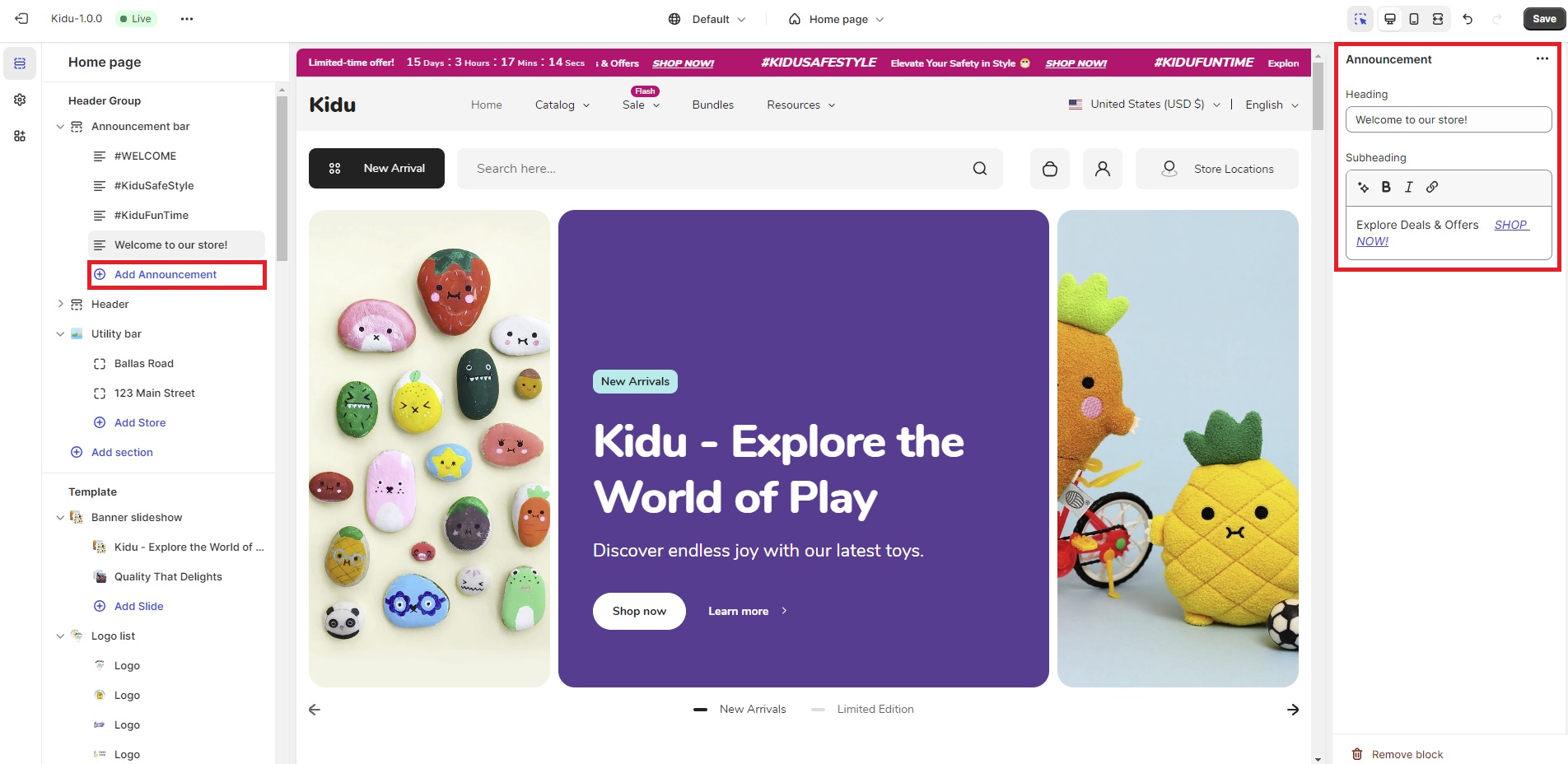
Click on "Add Announcement" to include multiple announcements.
The settings for each announcement block are:
| Setting | Description |
| Heading | Add the title for the announcement block. |
| Subheading | Include the sub-heading text to display in the announcement block. Utilize the inline-rich text editor to make the text bold or italicized, or to add an internal/external link. |