Contact
Overview:
The Contact Form section helps customers connect with the store through contact information, inquiry forms, and media content. This section supports informational rows for address, phone numbers, and emails, along with video/reel blocks to showcase promotional or informational content. It is designed to improve customer communication and brand engagement.
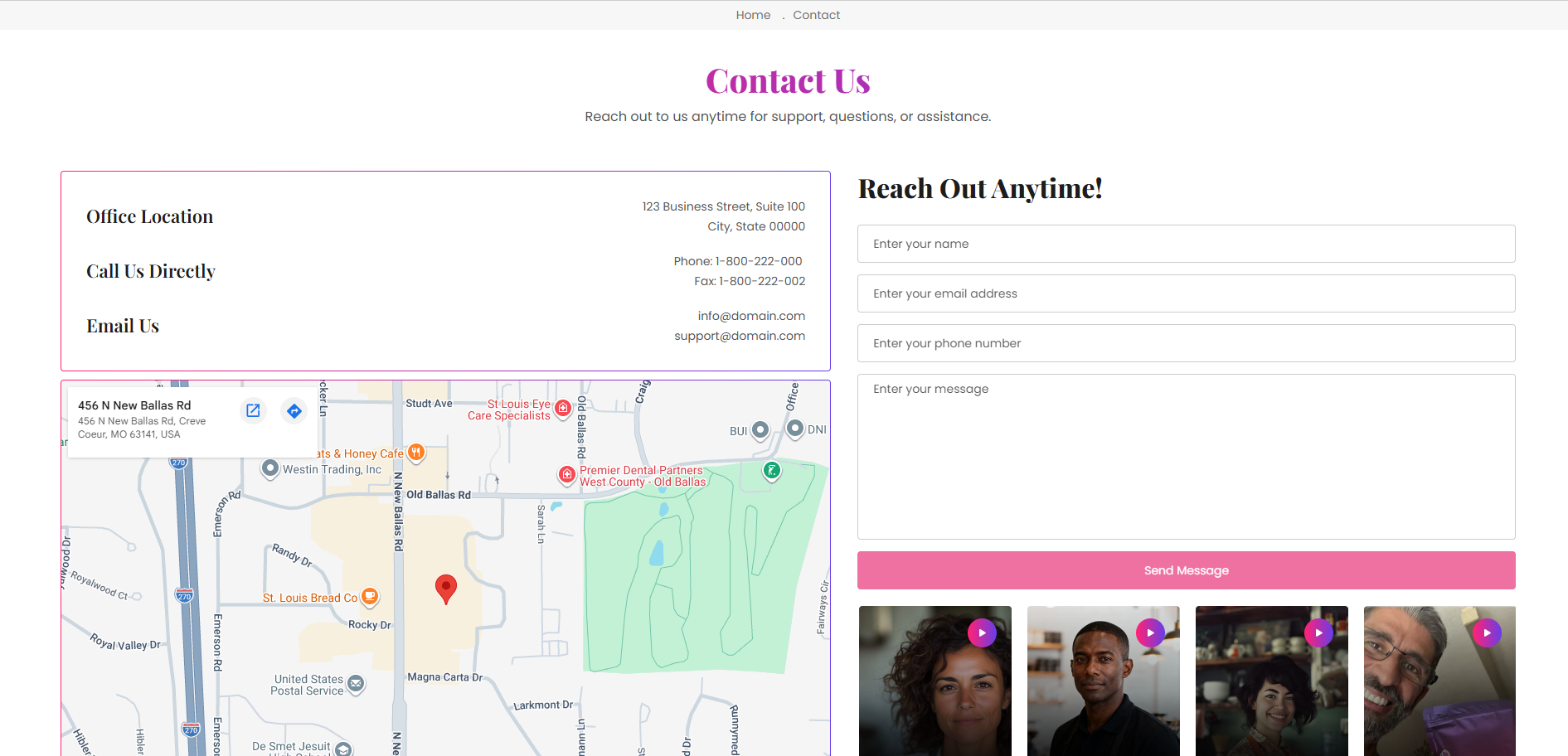
Section Configuration
| Setting |
Description |
| Office Location |
Displays the business address or physical store location information. |
| Call Us Directly |
Displays contact phone numbers and additional support contact details. |
| Email Us |
Displays support or business email addresses for customer communication. |
Blocks Configuration
Info Row Block:
| Setting |
Description |
| Heading |
Defines the title of the contact information row such as address, phone, or email. |
| Description |
Displays rich text content below the heading including addresses, phone numbers, or email details. |
Video Block:
| Setting |
Description |
| Video/Reel |
Displays video content or promotional reels inside the contact section to improve engagement and brand presentation. |
Block Order:
| Setting |
Description |
| Block Arrangement |
Controls the display order of info rows and video blocks inside the contact form section. |
Default Layout Structure:
| Block Type |
Purpose |
| Info Row 1 |
Displays office location details. |
| Info Row 2 |
Displays direct contact phone numbers. |
| Info Row 3 |
Displays customer support or business email addresses. |
| Reel 1 - Reel 4 |
Displays promotional or informational video reels. |
