Age verification pop-up
Overview:
The Age Verifier section displays a verification popup that restricts access to users below a specified age. It is commonly used for stores selling age-restricted products such as alcohol, tobacco, CBD, or adult products. The section supports customizable headings, descriptions, button labels, image visibility, layout positioning, typography styling, alignment, and responsive color schemes.
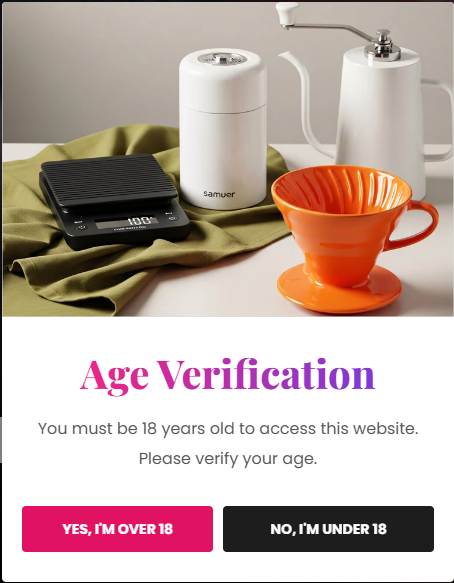
Section Configuration:
Banner Image:
| Setting |
Description |
| Banner Image |
Uploads a custom image displayed inside the age verification popup. |
| Hide Image on Mobile |
Hides the banner image on mobile devices for a cleaner mobile experience. |
| Setting |
Description |
| Accept Button Label |
Defines the text displayed on the age confirmation button. |
| Setting |
Description |
| Reject Button Label |
Defines the text displayed on the rejection button for underage visitors. |
Layout:
| Setting |
Description |
| Popup Position |
Controls the placement of the age verification popup such as centered, bottom left, or bottom right. |
| Text Alignment (Desktop) |
Sets the horizontal alignment of the popup content on desktop devices. |
| Text Alignment (Mobile) |
Sets the horizontal alignment of the popup content on mobile devices. |
Color Scheme:
| Setting |
Description |
| Color Scheme |
Applies a predefined color palette to the popup background and text elements. |
Blocks Configuration:
Heading Block:
| Setting |
Description |
| Heading Text |
Defines the main heading displayed inside the age verifier popup. |
| Heading Size |
Controls the size of the heading text from H1 to small text variants. |
| Heading Weight |
Adjusts the font thickness of the heading text. |
| Heading Case |
Changes the text transformation style such as uppercase, lowercase, capitalize, or default. |
| Heading Tag |
Sets the HTML heading tag level from H1 to H6 for SEO and accessibility purposes. |
| Heading Font Family |
Allows switching between default and body font family styles. |
| Heading Color Style |
Applies predefined color styling to the heading text. |
| Heading Link Style |
Controls the styling behavior of links used inside the heading content. |
| Bottom Spacing |
Adds spacing below the heading block. |
| Enable Heading Gradient |
Enables gradient styling for the heading text. |
Description Block:
| Setting |
Description |
| Description Text |
Displays additional information or instructions inside the age verification popup. |
| Description Text Size |
Controls the size of the description text. |
| Description Weight |
Adjusts the font thickness of the description content. |
| Bottom Spacing |
Adds spacing below the description block. |
