Events list
Overview:
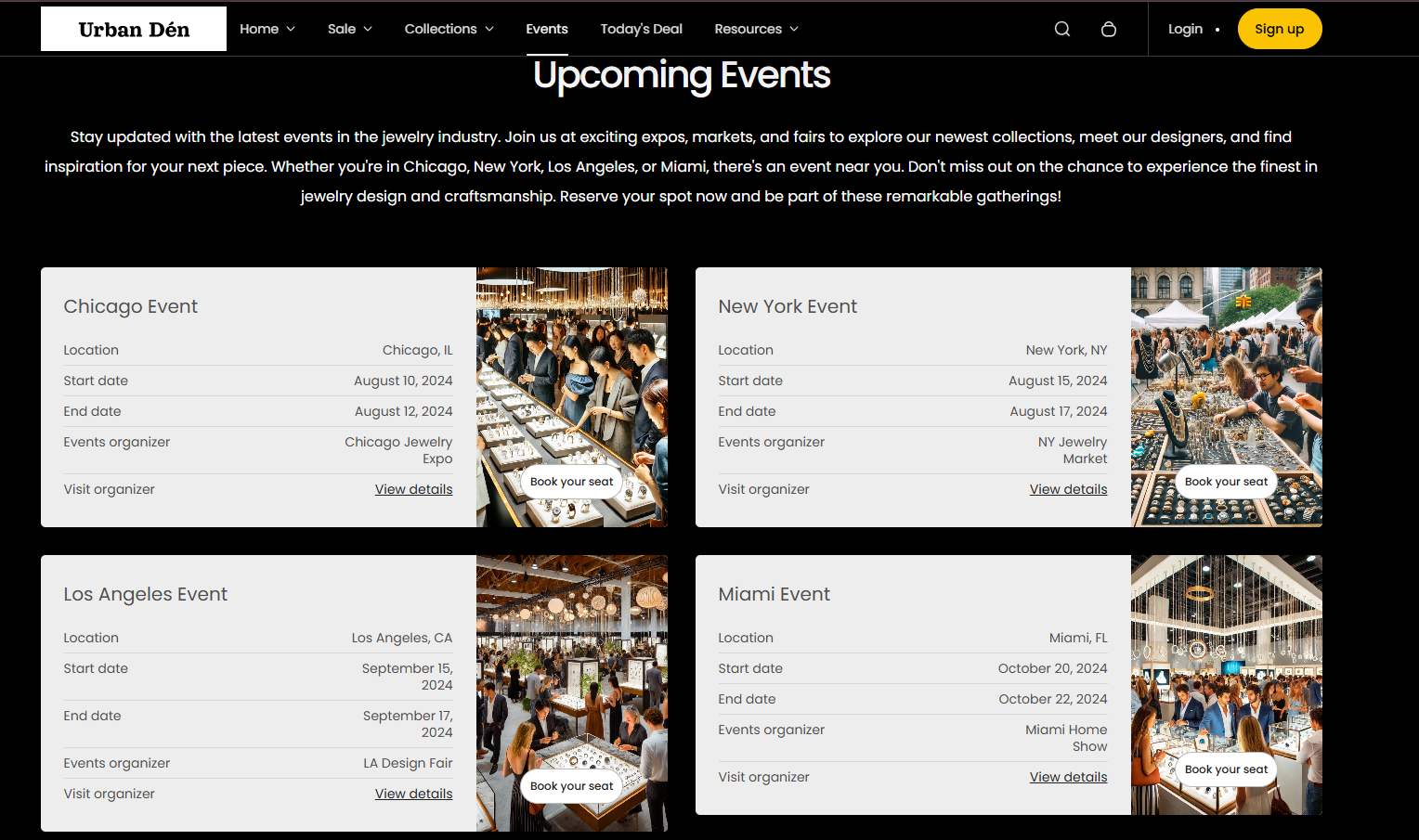
The Events List section is designed to showcase upcoming or past events in a structured, grid-style layout. Each event block can include a heading, image, dates, location, organizer details, and a call-to-action button, making it ideal for promoting store events, webinars, pop-ups, or workshops.
Section Configuration:
Heading & Description
| Setting | Description |
|---|---|
| Heading | Add a main heading to introduce the section. |
| Heading Size | Choose the size of the heading text. |
| Description | Add a short description or supporting text below the heading. |
| Text Size | Set the font size for the description text. |
Grid Layout
| Setting | Description |
|---|---|
| Number of Columns on Desktop | Define how many columns to display per row on desktop devices (1 or 2). |
Card Heading Style
| Setting | Description |
|---|---|
| Column Heading Size | Choose the size of the heading text within each event card. |
Color & Spacing
| Setting | Description |
|---|---|
| Color Scheme | Select a color scheme for the section background and text. |
| Top Padding | Adjust the space above the section. |
| Bottom Padding | Adjust the space below the section. |
Blocks Configuration:
Block: Event
Each event block represents an individual event, allowing full customization of its content and appearance.
| Setting | Description |
|---|---|
| Image | Upload an image to visually represent the event. |
| Heading | Enter the name or title of the event. |
| Button Label | Define the text for the call-to-action button (e.g., “Book your seat”). |
| Button Link | Add a URL where users can learn more or register for the event. |
| Open in New Window | Toggle to open the event link in a new browser window. |
| Location | Specify the event’s location. |
| Start Date | Add the starting date of the event. |
| End Date | Add the ending date of the event. |
| Organizer | Display the name of the event’s organizer. |
| Details Link | Enter a URL or anchor link to additional details about the event. |
| Color Scheme | Choose a color scheme for the individual event block. |