Product list
Overview:
The" Product List" section is designed to showcase a selection of products within your Shopify store. This section can be dynamically configured to display products in various layouts, such as slideshows or scrolling lists, and includes extensive customization options for text, layout, and interaction settings.
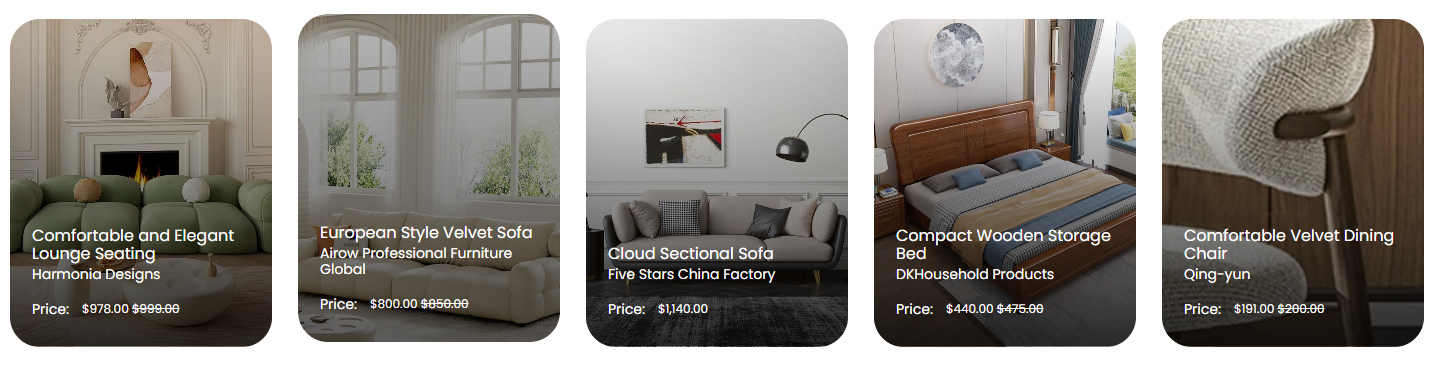
Section Configuration:
Product Settings
| Setting | Description |
| Product List | Define which products to display in the section. This setting allows for the selection of specific products to feature. |
Text Settings
| Setting | Description |
| Heading | Enter the main title for the product list section, with customization for size to establish visual hierarchy. |
| Heading Size | Select the size of the heading, with options ranging from extra-large to medium, to create visual hierarchy. |
| Section Description | Provide a more detailed description or introductory text for the section. |
| Text Size | Set the size of the text used in the description for better readability and design alignment. |
Button Configuration
| Setting | Description |
| View More Label | Custom label for the 'View More' button, encouraging further interaction. |
| View More Type | Style the button as primary or secondary, influencing its visual prominence. |
| View More Link | URL for the 'View More' button, directing users to a detailed page or section. |
| Open in New Window | Option to open the link in a new browser tab. |
Card Settings
| Setting | Description |
| Card height | Choose the height of the images on product cards. |
| Card heading Size | Adjust the size of heading on product cards. |
| Show Vendor | Toggle to display or hide vendor information on product cards. |
| Show Price | Toggle to display or hide the price on product cards. |
Layout Behavior Settings
| Setting | Description |
| Section Behavior Layout | Select between slideshow or scroll for product display. |
| Text alignment | Choose the alignment of the text within the section, such as left, center, or right. |
| Marquee Speed and Direction | Configure the speed and direction of the scrolling marquee for product lists. |
| Pause on Hover | Decide whether the marquee pauses when a user hovers over the product list. |
Slideshow Settings
| Setting | Description |
| Auto Play | Toggle to automatically cycle through products. |
| Show Navigation Arrows | Enable navigation arrows for the slideshow. |
| Show Pagination | Enable pagination indicators for the slideshow. |
| Change Slides Every | Set the interval for changing slides, enhancing dynamic interaction. |
Spacing Settings
| Setting | Description |
| Top Padding | Adjust the space above the section content. |
| Bottom Padding | Adjust the space below the section content. |